 Status
NZBGet on your iPhone.
Quartermaster is a native app for iPhone, iPad and Mac that connects to your NZBGet, and to 63 other things you host yourself. No account to make.
Download on the App StoreFree for one service
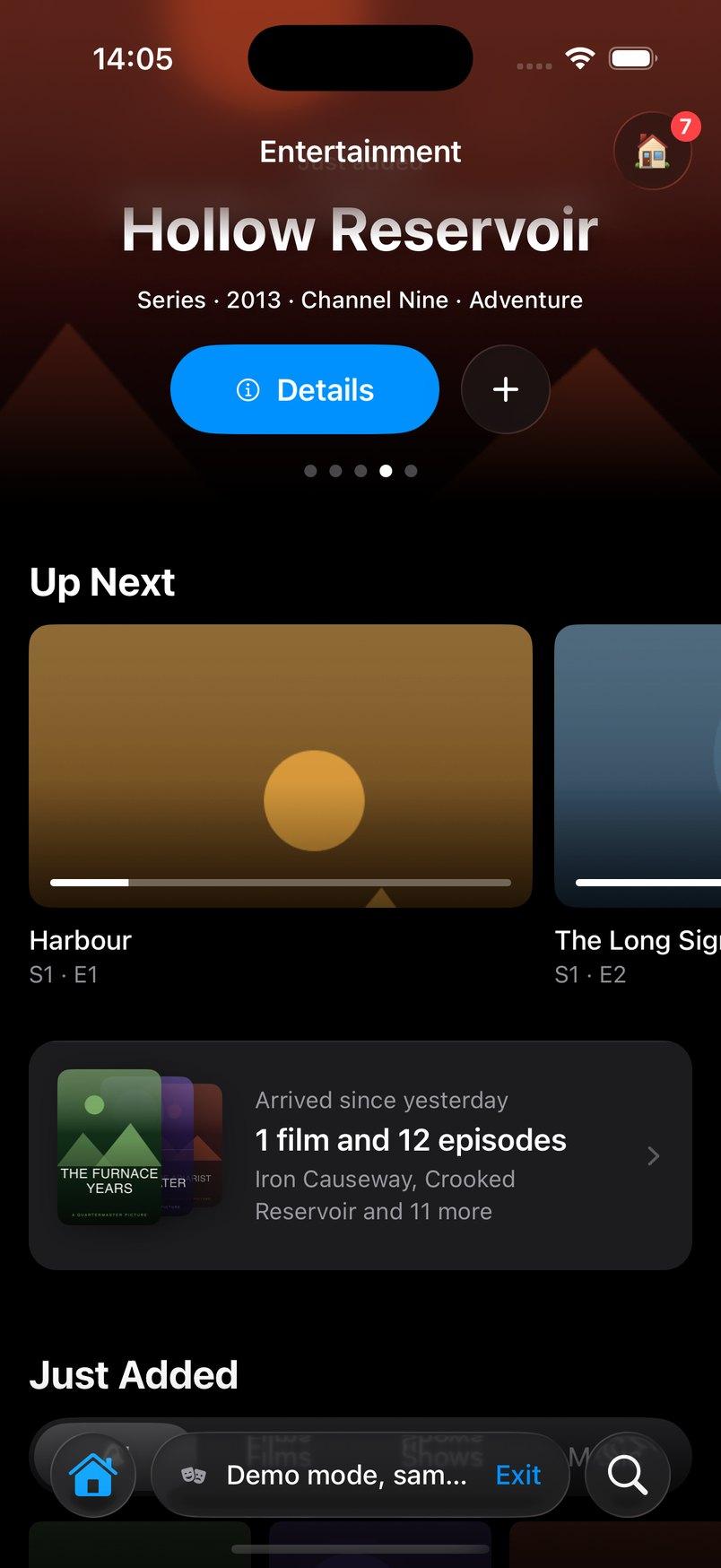
What it does with NZBGet.
Usenet. In the app: live status.
Today this is a status connection: the app connects to your NZBGet and shows it live. Deeper screens are planned, and we'd rather say so than oversell it.
- Set up in a minute
- Open the app, add NZBGet and give it the address and the details it asks for. They stay in the iOS Keychain on your device.
- Straight to your server
- The app talks to NZBGet directly. Nothing of ours sits in between unless you switch it on.
- Free for one service
- Free connects one service, fully. Pro connects the rest, and the prices are on the terms page.

NZBGet on iPhone, iPad and Mac: questions.
- Is there an iPhone app for NZBGet?
- Yes. Quartermaster is a native app for iPhone, iPad and Mac that connects to your NZBGet. In the app: live status.
- What can I do with NZBGet in Quartermaster?
- Live status. Today this is a status connection: the app connects to your NZBGet and shows it live. Deeper screens are planned, and we'd rather say so than oversell it.
- Is it free to use with NZBGet?
- Free connects one service, fully, so NZBGet on its own costs nothing. Pro connects the rest of your stack: 64 services in all.
- Do I need to make an account?
- No. There is no Quartermaster account. Your addresses and keys are kept in the iOS Keychain on your device, and the app talks to your services directly.
Also part of: Your media stack, on your iPhone, Usenet, on your iPhone
Get Quartermaster.
NZBGet and the rest of your stack in one app, on iPhone, iPad and Mac.